
How Artificial Intelligence Is Transforming Education
INTRODUCTION
Education is changing rapidly with the development of Artificial Intelligence (AI). Teachers today can use digital tools to prepare lesson plans, create worksheets, design quizzes, develop educational presentations, generate classroom activities and prepare learning materials more efficiently.
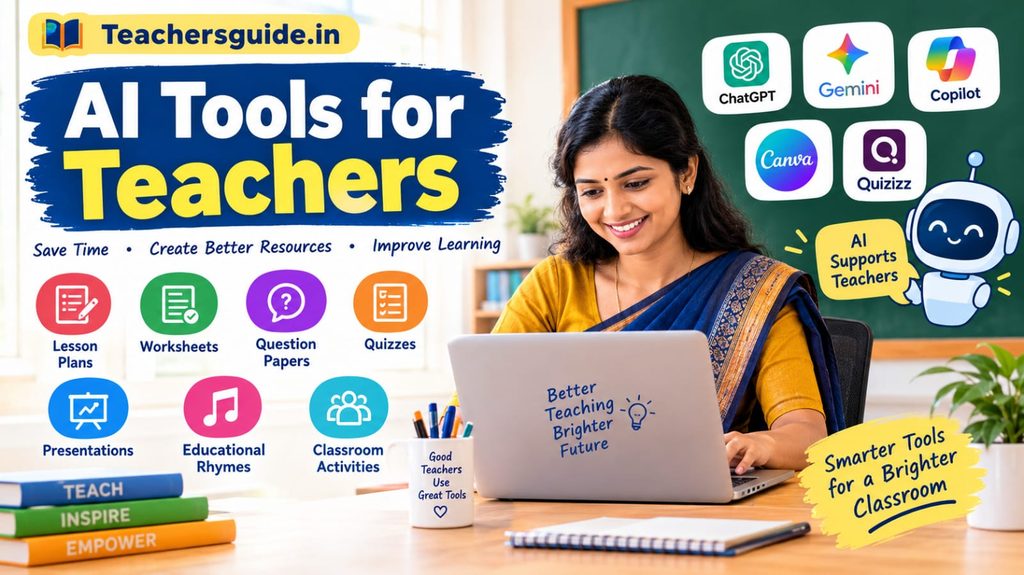
AI tools for teachers are digital applications that use artificial intelligence to assist educators with teaching, planning, assessment, communication and other educational tasks. When used appropriately, these tools can support teachers in making classroom learning more interactive, creative and accessible.
For teachers working in government and private schools, AI can provide practical support for preparing teaching material in different subjects and languages. Teachers can also use AI to develop examples suited to their student’s learning levels.
At Teachersguide.in, our aim is to help teachers explore useful educational resources, teaching strategies and digital technologies that can improve classroom practices.
In this article, we will explore the benefits of AI tools for teachers, their practical applications, useful examiples, sample prompts, and important safety precautions.
What Are AI Tools for Teacher?
AI tools for teachers are software applications that use artificial intelligence to perform or assist with specific tasks. Depending on the applications, teachers may be able to generate written content, summarize information, create images, prepare questions, or organize ideas.
For example, a teacher preparing a lesson on plants can as an AI assistant to suggest learning objectives, classroom activities, discussion questions, and a short assessment.
The teacher can then review the suggestions and adapt them to the prescribed syllabus, students’ abilities, and available classroom resources.
AI should be treated as a teaching assistant rather than a replacement for teachers. Human experience, subject knowledge, classroom interaction and professional judgment remain essential to effective education.
1. Best Ways to Use AI Tools in Education
A. Creating lesson plans
Preparing lesson plans is an important responsibility of every teacher. AI Tools can help teachers draft structured lesson plans based on a topic, class, subject and duration.
A lesson plan may include:
- General and specific learning objectives
- Learning outcomes
- Previous knowledge
- Teaching-learning materials
- Introduction and explanation
- Classroom activities
- Assessment questions
- Homework and follow-up activities.
PRACTICAL EXAMPLE: A teacher teaching Class 5 English can ask an AI assistant to prepare a 45 minute lesson plan on a story, including vocabulary activities, comprehension questions and a short assessment.
Teachers should compare the generated plan with the prescribed textbook and curriculum before using it in class.
B. Preparing worksheets and question papers
AI can help teachers prepare practice worksheets, revision exercises, and question banks for different subjects.
Teachers may request:
- Multiple-choice questions (MCQs)
- Fill-in-the-blanks exercises
- True-or-false questions
- Match-the-following activities
- Short-answer and long-answer questions
- Grammar exercises
- Reading comprehension passages
For example, a mathematics teacher can request 20 practice questions on fractions for Class 6, arranged from basic to more challenging.
The teacher should verify every answer, check the difficulty level, and ensure that the questions match the learning objectives.
C. Creating educational presentations
AI writing assistants can help organize lesson content into presentation outlines. Image-generation and design tools may also help teachers create visual learning materials.
Teachers can use presentations to explain science concepts, historical events, grammar rules, environmental awareness, and mathematical processes.
Simple diagrams, labelled illustrations, and relevant example can help make difficult topics easier to discuss.
However, AI generated diagrams and factual illustrations must be checked for errors before being shown to students.
Supporting multilingual teaching
In multilingual classrooms, teachers may need to explain difficult concepts using familiar languages.
AI Tools can help draft translations, simplify explanations, prepare bilingual vocabulary lists, and create examples in English and regional languages such as Telugu.
For instance, a teacher can request an explanation of a science concept in simple English followed by a Telugu explanation.
Translations must be reviewed carefully because technical terms, idioms, and subject-specific meaning may not always be translated accurately.
E. Creating educational rhymes and stories
AI can assist teachers in developing originals, short stories, dialogues, and songs for young learners.
Teachers may use these resources to introduce the alphabet, numbers, colours, animals, environmental awareness, or good habits.
A simple rhyme about the water cycle, for example, can help students recall evaporation, condensation, and precipitation.
Teacher can adapt the vocabulary and rhythm to the student’s age and language skills. If AI is used to generae music, images or video, the relevant tools usage terms and applicable copyright requirements should also be checked.
2. Useful AI Tools and Their Educational Applications
Different AI applications serve different purposes. The following are examples of tools teacher can explore.
ChatGPT
ChatGPT can assist with drafting lesson plans, creating practice questions, explaining concepts, simplifying text, preparing classroom activities, and brainstorming teaching strategies.
Website: https://chatgpt.com/
Google Gemini
Google Gemini can assist with writing, brainstorming, explaining concepts, and preparing educational content. Available features may depend on the account, region, and product plan.
Website: https://gemini.google.com/
Mircrosoft Copilot
Microsoft Copilot can help with drafting, summarizing, generating ideas, and other supported AI-assisted tasks. Its available capabilities depend on the product and account.
Website: https://copilot.microsoft.com/
Canva for Education
Canva offers design tools that teachers can use to create presentations, poster, worksheets, and other classrooms visuals. Some AI-assisted features may have eligibility or plan restrictions.
Website: https://www.canva.com/education/
Quizizz (Wayground)
Wayground, formerly known as Quizizz, provides educational assessment and practice features. Teachers should check the current availability of AI-assisted features and other capabilities in their accounts.
Website: https://wayground.com/
Important: These applications have different features, pricing arrangements, eligibility requirements, and data policies. Teachers should review the official websites and their school’s rules before using them.
3. Sample AI Prompts for Teachers
A prompt is an instruction or question given to an AI tool. Clear prompts usually provide better starting starting points for educational content.
Teachers can adapt the following examples to their needs.
Prompt 1: Lesson Plan
“Prepare a 45-minute lesson plan for Class 5 English on the topic (insert topic). Include learning outcomes, teaching-learning materials, classroom activities, assessment questions, and homework. Use simple language and make the plan suitable for a school classroom.”
Prompt 2: Worksheet
“Create a worksheet for Class 6 Mathematics on fractions. Include 10 multiple-choice questions, five fill-in-the-blanks, and five word problems. Provide an answer key separately. Check that the questions are appropriate for the stated level.”
Prompt 3: Multiple-choice questions
“Prepare 20 practice MCQs on (insert topic) for Class 7 Science. Give four options for each question and provide the correct answer with a short explanation. Avoid repeated questions and use clear language.”
Prompt 4: Bilingual explanation
“Explain (insert concept) in simple English for school students. Then provide a Telugu explanation, five important vocabulary words, and three questions to check understanding. Verify the subject terminology before presenting the final material.”
Prompt 5: Educational Rhyme
“Write an original, short educational rhyme for primary school children about keeping the classroom clean. Use simple words, a cheerful tone, and a clear learning message. Avoid copying existing songs or rhymes.”
These prompts can be modified for different classes, subjects, languages, and learning outcomes.
4. Benefits of AI Tools for Teachers
When used thoughtfully, AI tools can offer several practical benefits.
Time-saving support: AI can help produce first drafts or routine teaching materials, which teachers can then edit and improve
Creative classroom activities: Teachers can brainstorm games, discussion topics, stories, experiments, and project ideas.
Differentiated learning: Teachers can request alternative explanations and exercises for students with different learning needs.
Language assistance: AI can help draft translations, simplify vocabulary, and prepare bilingual learning resources.
Assessment preparation: Teachers can generate practice questions, quizzes, and revision activities.
Professional development: Teachers can explore unfamiliar topics, learn about digital teaching methods, and develop their technology skills.
These benefits are not automatic. The quality of the output depends on the prompt, the tool, and the teacher’s review. AI generated information may be inaccurate, incomplete, or unsuitable for a particular classroom.
5. Responsible and Safe Use of AI in Schools
Using AI responsibly is especially important when working with children and educational records.
Teachers should follow these practices:
- Verify information: Check facts, calculations, answer keys, translations, and references before using AI-generated content.
- Protect Student privacy: Avoid entering students’ name, photographs, phone numbers, marks, medical details, addresses, or other identifiable information into upapproved AI tools.
- Follow school policies: Check whether the school or education department permits the intended application and use.
- Review age suitability: Ensure that any content or application used with students is appropriate for their age and needs.
- Respect Copyright: Do not assume that AI-generated content is automatically free from copyright restrictions. Review the relevant terms before publishing or distributing materials.
- Avoid bias: Check whether examples, languages, images, and explanations are fair, inclusive, and culturally appropriate.
- Maintain teacher responsibility: Teachers should make the final decisions about lesson content, assessment, feedback, and classroom activities.
6. How Teachers Can Start Using AI
Teachers who are new to AI do not need to use many applications at once. A simple approach is often more practical.
Step 1: Choose one familiar AI tool and review its features and privacy settings.
Step 2: Begin with a routine task, such as preparing a worksheet or brainstorming classroom activities.
Step 3: Write a clear prompt specifying the class, subject, topic, language, and desired output.
Step 4: Compare the response with the prescribed textbook, syllabus and learning outcomes.
Step 5: Edit the content to match the students’ needs and the available teaching resources.
Step 6: Evaluate whether the final material improves the teaching activity. Continue using the tool only where it provides genuine value.
This gradual approach allows teachers to build confidence while keeping educational quality and student safety at the centre of their work.
Frequently Asked Questions (FAQs):
- What are the best AI tool for teachers?
ChatGPT, Google gemini, Microsoft Copilot, Canva and Wayground are examples of applications teachers can explore for different educational tasks. The most suitable tool depends on the teachers’ needs, school policies, available features and budget.
2. Can AI create a lesson plan for teachers?
Yes. AI tools can draft lesson plans based on the class, subject, topic, duration and learning objectives provided by the teacher. The teacher must review and adapt the plan before classroom use.
3. Can teachers use AI to prepare question papers?
AI can help draft MCQs, short answer questions, worksheets, and practice tests. Teachers should check accuracy, curriculum alignment, difficulty, and answer keys before using them for assessment.
4. Are AI tools for teachers free?
Some applications offer free access or limited free features, while others require payment for particular capabilities. Pricing, limits and eligibility may change, so consult each provider’s official website.
5. Can AI tools create Telugu eucational content?
Many AI writing tools can generate Telugu explanations, practice questions, stories, and original rhyme drafts. However, teachers should review spelling, grammar, vocabulary and subject terminology.
6. Is AI going to replace teachers?
AI can assist with selected tasks, but effective teaching involves human relationships, classroom management, professional judgment, encouragement, and an understanding of students’ needs. AI should support teachers rather than replace these essential responsibilities.
7. Is it safe to enter student information into AI tools?
Not necessarily. Teachers should avoid submitting identifiable student information to unapproved services and must follow applicable privacy requirements and school policies. Check how each tool handles submitted data before using it.
Conclusion
AI tools for teachers offer practical ways to prepare lesson plans, worksheets, question papers, presentations, educational rhymes, and classrooms activities. They can help teachers explore new teaching strategies and develop resources for different learning levels.
However, AI is most useful when teachers combine its capabilities with their own subject knowledge, creativity, experience, and professional judgment. Every AI-generate resource should be reviewed for accuracy, relevance, inclusiveness, and safety before it reaches students.
At Teachersguide.in, we aim to share useful educational information, teaching resources, digital learning ideas, and practical guidance for the teaching community.
Explore AI responsibly, keep learning, and use technology to make teaching more effective and meaningful.
Visit TeachersGuide.in regularly for more teachers’ resources, educational articles, and classroom ideas.
DISCLAIMER: The article’s AI and privacy sections are informed by educational guidance from the UK Department for Education and NCERT’s CIET.
FOLLOW IN WHATSAPP